 Tabivore
Why Back does nothing in a new tab
A tab opened from a link starts with an empty history, so Back has nowhere to go. You have to find the tab and close it yourself, and that is how forty open tabs happen. Safari on the Mac closes such a tab when you go back, and Arc did the same. People ask for it in other browsers too, for example in Helium and Zen.
How Tabivore does it
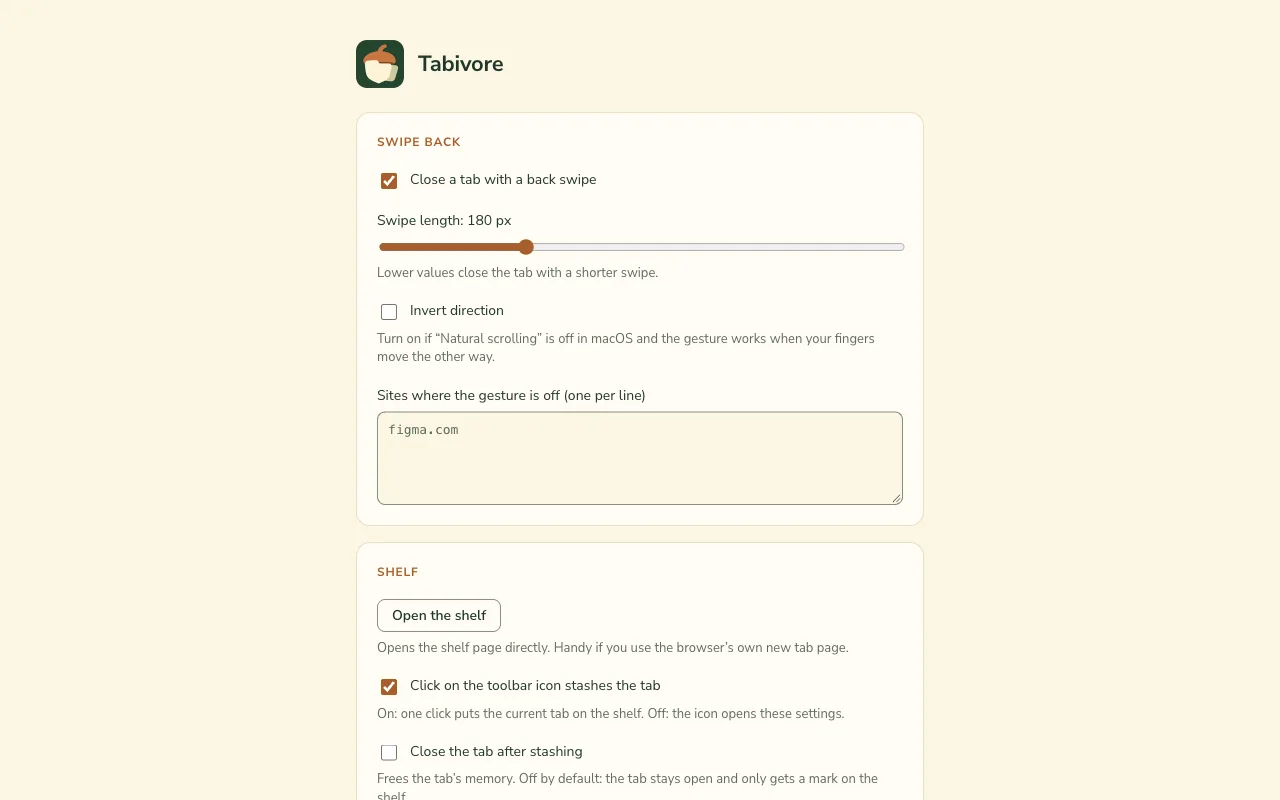
- Swipe back with two fingers on the trackpad. A drop pulls out of the edge of the screen, the tab closes, and the page that opened it is in front of you.
- Only a tab opened from a link closes this way. A tab you opened yourself is never closed by the swipe.
- If a tab cannot be closed, a short hint says so.
- The swipe can be turned off on any site, and its length and direction are in the settings.
- A small script on web pages only recognizes the swipe and shows the hint, and sends nothing anywhere.
Does it work with a mouse or on Windows?
The swipe is a trackpad gesture, tuned on a MacBook trackpad. On other trackpads you may need a different swipe length, which you can change in the settings. If you mostly use a mouse, the extensions below that work with its Back button may suit you better, and the Tabivore shelf works the same either way.
Other ways to close a tab with Back
Tabivore is not the only way, and here are the others.
- Safari on macOS does it out of the box.
- Back to Close Tab, an open-source extension, closes the tab when Back has nowhere to go, using the mouse Back button and the keyboard shortcuts. As its page explains, extensions cannot see the toolbar Back button or the browser’s own swipe-back gesture. That is why Tabivore recognizes its own swipe on the page.
- Close on Back closes the tab when you go back from the first page of its history, with the extra mouse buttons or keyboard shortcuts. Close on Back vs Tabivore.
- Last Tab Back closes the tab with Backspace, or a key or mouse button you choose, and returns to the tab that opened it. Last Tab Back vs Tabivore.
- Chrome itself. Chromium has a “Back to opener” feature in development: Back closes a new tab and returns to the tab that opened it. As of October 26, 2026 it is off by default. If Chrome turns it on, Tabivore’s shelf, groups and new tab page stay just as useful.
What else Tabivore does
The back swipe is the small part. The main one is a shelf on your new tab page for tabs, tab groups, quotes and notes you want to come back to, so closing a tab never means losing it. Around it is the new tab page itself, with your favorite sites and bookmarks. See all features, or see how Tabivore compares with other tab managers.
Leaving Arc before it stops working? How to keep back-to-close in Chrome and Firefox.