 Tabivore
OneTab and Tabivore at a glance
| OneTab | Tabivore | |
|---|---|---|
| Chrome Web Store users | 2,000,000 | Launched October 2026 |
| Price | Free; “no signup or registration required” | Free |
| Account | Not required | None |
| Where your saved tabs live | In the browser; tab URLs leave it only if you use “Share as a web page” | In your browser, on your device. The extension makes no network requests. |
| Browsers | Chrome, Firefox, Edge, Safari; Brave, Opera and Vivaldi through the Chrome version | Chrome, Edge, Brave, Opera, Vivaldi (Chrome Web Store) and Firefox |
| What you save | All tabs of a window turned into a list; restore one tab or all at once | One tab or a whole tab group, with a click, a shortcut or the context menu; close it or keep it open |
| Tab groups | — | Stashed with name and color, reopened as a real tab group |
| Notes | Folders, tasks and notes | Quotes from a page, with your own note |
| Swipe back closes a tab opened from a link | — | Yes, on a trackpad; only tabs opened from a link |
| Auto-archive of idle tabs | — | Optional, off by default; idle tabs go to the shelf after the time you choose |
| Sync between computers | Optional encrypted cross-browser sync | No, on purpose |
| Export and backup | Export and import of lists; share a list as a web page | JSON export and import; daily backup to a folder (not in Firefox) |
What OneTab does well
OneTab is the classic way to clear a window: one click and every tab becomes a line in a list, which you restore one by one or all at once. Its makers say this saves up to 95% of memory. It works in Chrome, Firefox, Edge and Safari, needs no signup, and keeps your tab URLs in the browser unless you share a list as a web page. Newer versions add folders, tasks, notes and optional encrypted sync between browsers.
Where Tabivore is different
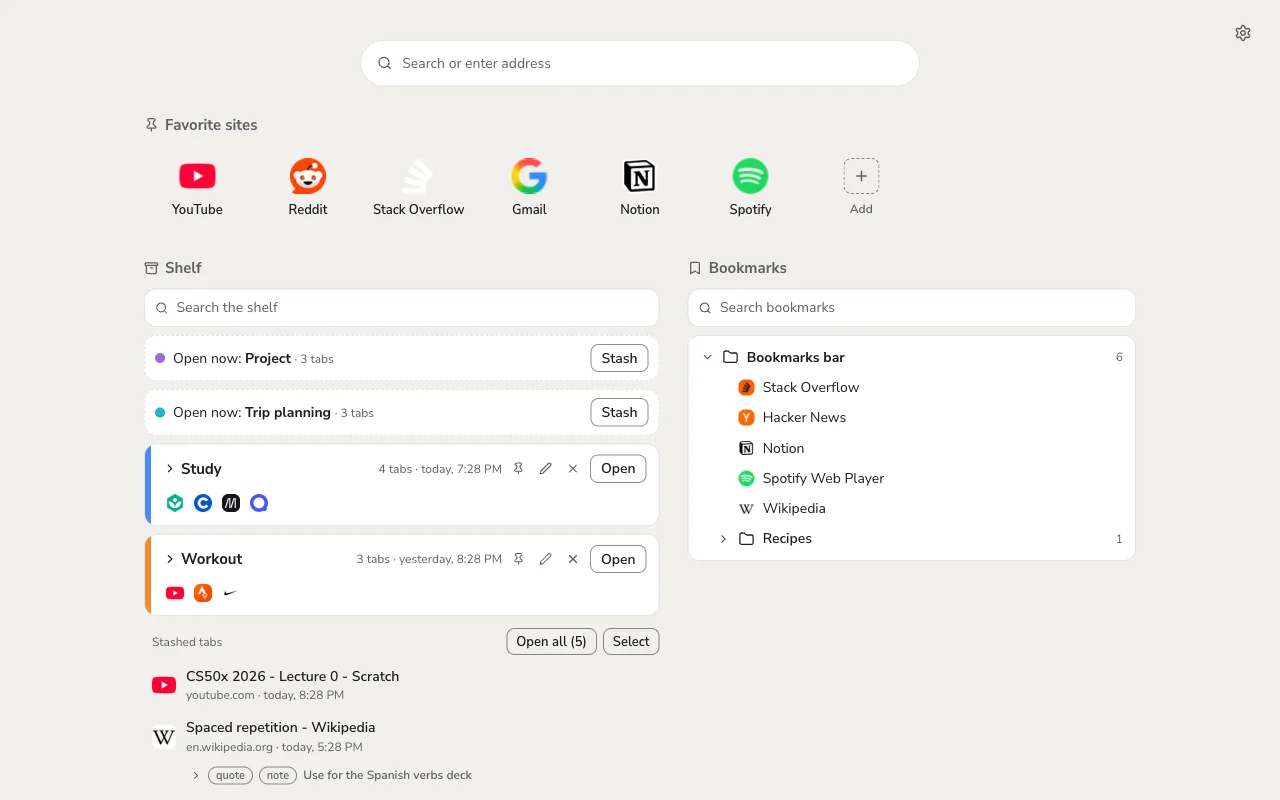
Tabivore is for the steady drip of tabs rather than the big clean-up. What you want to keep, you stash one tab or one tab group at a time, and it stays on your new tab page, next to your favorite sites and bookmarks, where you will actually see it instead of losing it in a long list. Groups come back as real tab groups with their name and color. And a tab you opened from a link can close with a back swipe on the trackpad, so it never piles up.
More about the back swipe: swipe back to close a tab.
When OneTab is the better choice
- You want to clear a whole window in one click and restore it later.
- You use Safari, or want your lists synced between browsers.
- You share tab lists with other people as a web page.
When Tabivore fits
- You open links in new tabs all day and forget to close them.
- You want to keep a few tabs, groups or quotes in sight, not archive whole windows.
- You prefer no account and no sync at all.